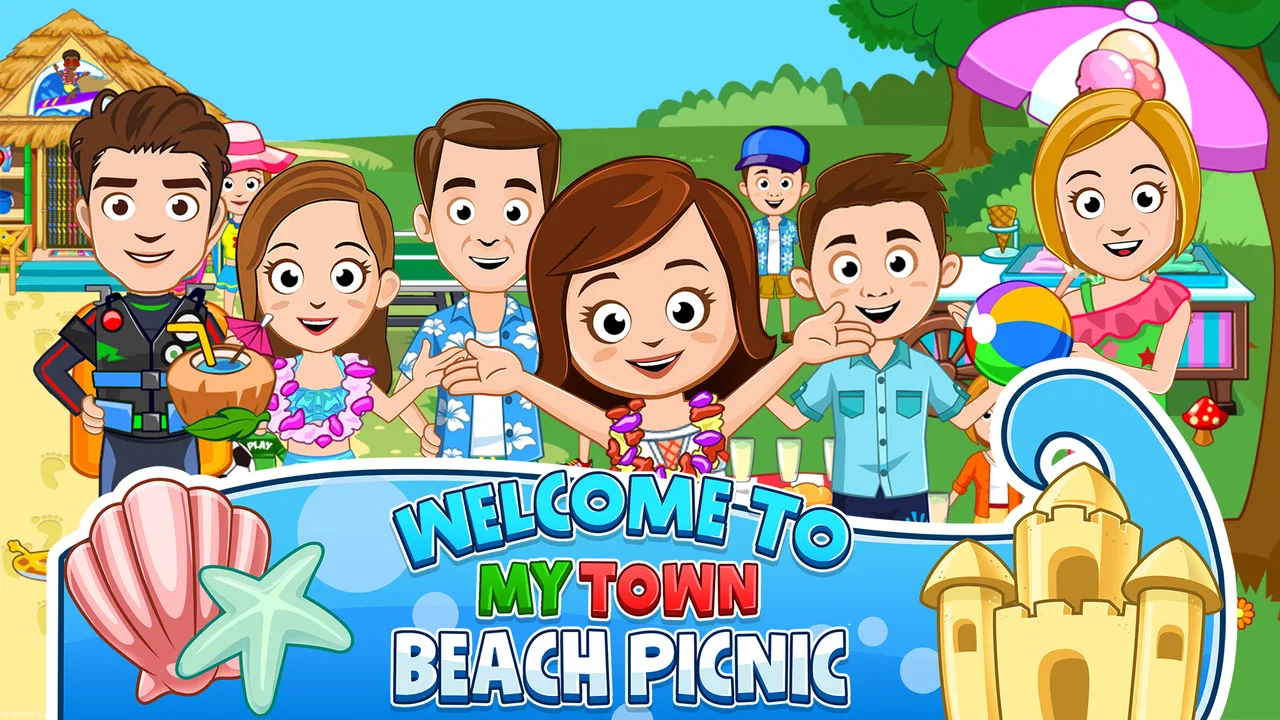
My Town : Beach Picnic
- 4.0
- Rating
- 500.00K
- Installs
- $4.49
- Price

 Analysis by App-foxy
I approached My Town : Beach Picnic as a small, open-ended play space rather than a conventional level-based game. That distinction matters. There is no score-chasing structure to distract from the central appeal: setting up a beach outing, moving characters around, and using the scene as a prompt for your own stories. Developed by My Town Games Ltd, it sits in the educational game category and is aimed at everyone, but its real audience is children who enjoy pretend play more than rules, targets, or timed challenges.
My first impression was that this is best understood as a digital dollhouse with a beach theme. The value comes from deciding what happens, not from being told what to do next. A child can invent a picnic, change the mood of the scene, and turn a simple visit into a story about friends, family, discovery, or an unexpected problem. That freedom is the reason to consider it, although it also means the game will feel too quiet and unstructured for players who expect missions, puzzles, or progression.
How the beach setting works as a creative play space
The beach picnic theme gives children an immediately understandable starting point. Instead of opening onto an abstract sandbox, the game frames play around a familiar outing. That makes it easier to begin: someone can arrive, arrange a picnic, explore the setting, and decide what each character is doing. I found that this kind of context helps younger players create stories without needing a complicated tutorial or a long explanation of the rules.
You May Also Like

 Blood Strike: 2.5 Anniversary
Blood Strike’s Loadouts Turn Every Drop Into a Tactical Gamble
A close look at Blood Strike’s custom loadouts: how fast access to signature weapons reshapes its battle royale rhythm, rewards preparation, and narrows the gap between fights.

 Pandora - Music & Podcasts
Pandora’s Music Is Easy to Start, but Harder to Recover
Pandora’s strength is its low-effort path from a seed to a station. Its weak spot is how much confidence it asks you to place in connection, setup, and quiet recovery.

 8 Ball Pool
8 Ball Pool Is Built on Rivalries, Rematches, and Routine
A close look at the rivalries, rematches, shared routines, and unanswered safety questions that turn a quick pool match into a persistent mobile community.

 Samsung Music
Samsung Music’s Quiet Strength Is Playing What You Already Own
Its reach comes less from spectacle than from dependable access to a personal library. That simplicity is both the app’s strongest retention engine and its ceiling.

 AccuWeather: Weather Radar
AccuWeather Review: A Quick, Clear Forecast for Everyday Decisions
For everyday plans, the best forecast is the one you can understand quickly. AccuWeather makes rain timing, radar, and local conditions easy to act on, with a few trade-offs.

 Hill Climb Racing
Why Hill Climb Racing Still Turns Crashes Into One More Run
A tiny car, a bumpy hill and one more upgrade: Hill Climb Racing keeps resurfacing because its simple chaos makes every near-miss feel personal.
More From Our News Desk



The educational value is indirect rather than lesson-based. I would not choose it to practise spelling, arithmetic, or a specific school subject. Its learning comes through imaginative decisions: choosing roles, arranging events, expressing emotions through characters, and keeping a story coherent. When a child says that one character is preparing food while another is exploring, they are practising sequencing and communication in a way that feels like play instead of homework.
That open structure also makes the game suitable for short sessions. A child can create one quick picnic before moving on to another activity, or spend longer developing a more involved story. In my experience, the absence of a fixed win condition is useful when an adult wants a calmer game, especially after a busy day. It is less useful when the child is looking for a clear objective and immediate feedback.
A practical way to get more from it is to give the play session a small prompt. Ask the child to create a picnic for a character who has never visited the beach, or to make a story where the group has to solve a simple social problem. This turns the open-ended design into a shared activity without taking control away from the child. The game becomes a starting point for conversation rather than a passive screen experience.
What I would do during a typical session
If I were introducing it to a child, I would begin by letting them explore without instructions. After that, I would suggest one simple scenario: prepare the picnic, decide who is invited, and explain what happens when the group arrives. This approach reveals whether the child enjoys the main idea. Players who immediately start assigning roles and inventing dialogue are likely to find plenty to do. Players who keep waiting for a button that says where to go next may feel lost.
For parents, the most useful feature of this format is its flexibility. You can leave the child to direct the story, join in as another storyteller, or use the scene as a gentle prompt for talking about sharing, taking turns, and caring for a group. The game does not need to become a lesson, though. Its strongest moments come when the child’s own ideas lead the session.
One less obvious benefit is that the beach setting can support repeated play without requiring the same story each time. The same picnic can become a family gathering, a pretend celebration, a quiet afternoon, or an exploration trip. That replay value depends heavily on the player’s imagination, so it is not the same as replay value in an adventure game with branching missions. Still, for children who like rearranging scenes and acting out conversations, the setting can remain useful beyond a single session.
Cost, platform details, and what the purchase means
The listed price is $4.49, so this is a paid game rather than a free download that relies entirely on initial access. There are also in-app purchases priced at $0.99 per item. I would therefore check the purchase screen carefully before handing the device to a child, particularly if the goal is to make this a one-time purchase. The important value question is not whether the game is inexpensive in isolation, but whether the child will return to an open-ended beach scene often enough to justify paying for it.
That price makes more sense for a child who already enjoys imaginative play and is likely to revisit the same world in different ways. It is harder to justify for a player who needs constant new challenges, collectible goals, or a clear campaign. The game’s paid value is concentrated in its setting and freedom, not in a long progression system. I would treat it as a focused creative toy, not as a large adventure designed to occupy weeks of structured play.
On Android, the listed minimum operating system is Android 8.0, and the current version is 7.03.09. Those details are worth checking against the device before purchasing, especially on an older family tablet. The game has been available since October 20, 2015, and its audience has had time to establish a reasonable level of interest: it shows a 4.0 average from around 11 thousand ratings, with over 500 thousand installs. Those figures suggest a known product, but they should not be mistaken for proof that every child will enjoy its deliberately loose format.
The age rating is Everyone, which fits the gentle, family-oriented premise. I would still make the first session a shared one, not because the rating removes its suitability, but because children differ in how they respond to games without explicit goals. A quick introduction lets an adult demonstrate that the point is to create a scene and a story, rather than search for a hidden finish line.
Where the game delivers real value
The strongest value is the low barrier to storytelling. A child does not need to understand a complex control scheme or remember a long plot before starting. The beach picnic supplies a familiar situation, and the player supplies the details. That combination can be especially appealing to children who enjoy role-play with toys but want something they can arrange and revisit on a screen.
I also like the way the setting can encourage collaborative play. Two people can take turns deciding what happens, with one person directing the picnic and the other inventing a visitor or a new problem. This is more engaging than simply watching an animation because the child has to make choices and explain them. It can work well during a quiet parent-and-child moment, provided the adult resists turning every decision into a correction.
Another useful trade-off is that the game does not appear to demand fast reactions from the player. That makes it more approachable for children who are frustrated by timers or precision controls. It also makes the experience less exciting for children who measure fun through speed, competition, or increasingly difficult stages. In other words, the calm pace is a strength only if calm, imaginative play is what you want.
I would use it in three situations. First, it can be a short creative activity when a child wants to play independently. Second, it can serve as a conversation prompt during shared play. Third, it can offer a change of pace after more demanding educational apps. In the last case, I would not describe it as a replacement for a reading or maths app; its educational contribution is social and imaginative, not curriculum-focused.
The trade-offs that are easy to miss
The biggest limitation is the same feature that defines the game: freedom. Without a strong objective, some players may run out of ideas quickly. If a child asks, “What do I do now?” the answer has to come from the child, a parent, or a suggested story prompt. That is not a flaw in the design, but it is a real consideration when comparing it with puzzle games or educational apps built around explicit tasks.
There is also a difference between buying a creative sandbox and buying a content-heavy game. The $4.49 purchase should be judged by how much use the child gets from repeating and reshaping the beach scenario. A family looking for many distinct activities may prefer a broader game, while a family seeking a focused pretend-play environment may find the narrower theme more approachable. The additional $0.99-per-item purchases make it even more important to decide in advance whether optional spending fits your budget.
The game may also work better on a device that is comfortable for touch interaction. A very small screen can make scene manipulation less pleasant for a child, while a shared tablet can make collaborative play easier. I would not buy it solely because it is labelled educational. I would buy it when the child already shows interest in acting out everyday situations, arranging characters, and making up dialogue.
Compared with traditional educational games, this one offers less measurable progress. You are unlikely to finish a session with a completed lesson or a new set of mastered exercises. Compared with animated children’s entertainment, however, it gives the child more control over what happens. Compared with physical dolls or toy playsets, it is more contained and convenient, but it cannot provide the same tactile experience. Those comparisons clarify its place: it is a digital imaginative-play tool, not a replacement for every other kind of play.
Who should buy it and who should skip it
I would recommend it to children who enjoy pretend families, make-believe outings, and open-ended scenes. It is particularly suitable when an adult wants a game that can be played quietly and revisited without pressure to win. The Everyone rating makes it broadly accessible, while the simple beach premise gives younger players a recognisable route into storytelling.
I would be more cautious for children who become bored without levels, rewards, or instructions. They may open the game, look around, and decide that there is not enough happening. I would also skip it if your main goal is academic practice. The educational label should be read as creative and exploratory, not as a promise of formal teaching in a particular subject.
For families considering the price, I would ask one question: does the child already create stories from ordinary objects? If the answer is yes, the game has a better chance of becoming a regularly used purchase. If the answer is no, a structured game with clear challenges may provide better value. That simple test is more useful than assuming that a beach theme alone will hold attention.
It is also worth deciding who will play. A child can use the game alone, but the experience can become richer when a parent or sibling adds a prompt. If you want an app that occupies a child with minimal interaction from adults, this may feel less dependable than a game with guided activities. If you are happy to join for a few minutes and let the child take the lead, it has more potential.
My final buying decision
My view is positive, but deliberately narrow. My Town : Beach Picnic succeeds as a compact creative playground for children who enjoy inventing their own beach stories. The developer, My Town Games Ltd, has chosen a format that is easy to understand and flexible enough for repeated pretend play. I appreciate that it does not need competition or pressure to make a session worthwhile.
I would pay for it when the intended player already likes open-ended role-play and the family is comfortable with the listed $4.49 price, while keeping the possible $0.99-per-item purchases in mind. I would not buy it expecting a long sequence of lessons, a traditional adventure, or guaranteed independent engagement. Its value depends on imagination, and that is both its most appealing quality and its clearest limitation.
In the end, I see this as a good choice for a specific kind of child rather than a universal recommendation. If you want a calm digital scene where a child can organise a picnic, assign roles, and build stories at their own pace, it is worth considering. If you want goals, difficulty, or visible academic progress, choose a more structured alternative. The right reason to buy it is creative freedom, not the educational label alone.
FAQs for My Town : Beach Picnic
01What is My Town: Beach Picnic?
My Town: Beach Picnic is a child-friendly digital play experience centered around a fun day at the beach. Players can explore different seaside areas, move characters between locations, and create their own stories using interactive objects and activities. Like other My Town games, it focuses on open-ended pretend play rather than a fixed mission system, allowing children to decide what happens next.
02Is My Town: Beach Picnic suitable for children?
The game is designed primarily for young children who enjoy imaginative role-play, colorful environments, and simple touch controls. There are no complicated rules or demanding challenges, so children can experiment at their own pace. Parents should still review the current store description, age rating, privacy details, and any available parental controls before installation, especially if the device is shared with younger users.
03What can players do in My Town: Beach Picnic?
Players can create beach-themed scenes by selecting characters, exploring the picnic setting, and interacting with objects placed around the environment. The appeal comes from combining items, changing locations, and inventing personal stories rather than completing levels or earning points. Children can recreate a family outing, organize a picnic, play with beach accessories, or simply explore the available activities freely.
04Does My Town: Beach Picnic require an internet connection?
The basic play experience may be available offline after the application has been downloaded and installed, which is useful for travel or situations without reliable Wi-Fi. However, internet access can still be needed for the initial download, updates, account-related functions, advertisements, or optional purchases, depending on the version and device. Check the official Google Play or App Store listing for the latest requirements.
05Is My Town: Beach Picnic free to download?
Availability and pricing can vary between Android and iOS, as well as by region and store policy. The game may be offered as a free download but can include advertisements, optional purchases, or paid content. Before downloading, parents should check the listing for in-app purchase information and confirm that purchase restrictions are enabled on the device if children will be playing without supervision.
Pros
- Bright
- colorful graphics make the beach setting appealing to younger players.
- Open-ended play encourages children to invent their own stories and activities.
- Multiple characters and locations provide plenty of room for role-play.
- Simple touch controls are easy for children to learn without much help.
- Works well for short play sessions or longer creative play periods.
Cons
- Some areas and characters may require additional purchases to unlock.
- The lack of structured goals may feel repetitive for children who prefer challenges.
- Interactions can be limited compared with more feature-rich My Town titles.
- Young children may accidentally access purchase options without supervision.
- Performance may vary on older devices
- especially during busy scenes.

My Town : Beach Picnic
Gallery